
COOKVENTA Support
FAQs
Quick answers to help you get the most out of Cookventa
1. What is Cookventa?
Cookventa is an app that helps recipe-based businesses manage costs, recipes, orders, and profits.
2. Who is Cookventa for?
For anyone selling food or recipe-based products like desserts, meals, sauces, drinks, and more.
3. How does recipe costing work?
Add ingredients and prices, and Cookventa calculates your real recipe cost automatically.
4. Can I manage orders?
Yes. You can organize orders, payments, balances, and customer details.
5. Does Cookventa calculate profits?
Yes. The app helps you track costs, sales, and estimated profits.
6. Can I export reports?
Yes. Reports and data can be exported to PDF and Excel.
7. Can I scale recipes?
Yes. You can multiply recipes and adjust portions easily.
8. Does Cookventa support different currencies?
Yes. Multiple currencies are supported.
9. Is my data safe?
Yes. Cookventa includes backup and restore features.
10. Will Cookventa work on iPhone and Android?
Yes. The app is designed for both platforms.
11. Does Cookventa have premium features?
Yes. Some advanced tools may require a subscription.
Contact us
Real support from people who understand your business.
We’re here to help with questions, support, feedback, or account-related issues. Reach out to the Cookventa team and we’ll get back to you as soon as possible.Support Email:
[email protected]Response Time:
Usually within 24–48 hours.
Delete Account & Manage your data
How to Delete Your Account
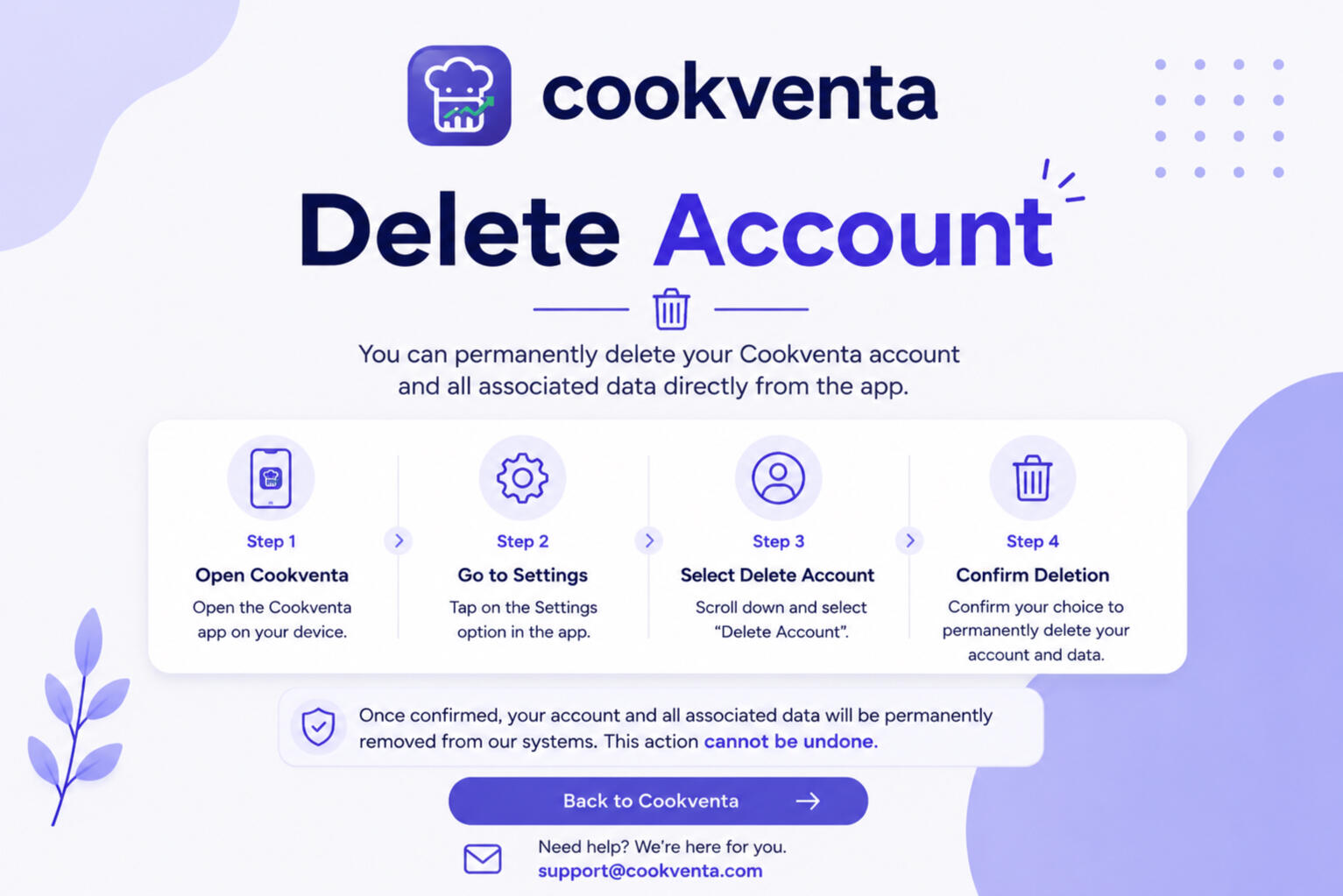
1. Open Cookventa
2. Go to Settings
3. Select Delete Account
4. Confirm the deletion requestOnce confirmed, your account and associated data will be permanently removed from our systems.Please note:- Account deletion is permanent
- Deleted data cannot be recovered
- Active subscriptions must be managed through your Apple App Store or Google Play account if applicable
Manage or delete your data
Cookventa gives users full control over their information, recipes, orders, reports, and stored content.Users can:- Delete individual recipes, orders, reports, and saved content directly inside each section of the app
- Reset app data without deleting their account
- Export recipes, reports, and business information before deleting data
- Permanently delete their account and associated data at any timeTo remove recipes, orders, or other content, simply open the corresponding section, select the item you want to remove, and choose the delete option.Before deleting your account, we recommend exporting and saving your recipes, reports, and business data if you would like to keep a personal backup of your information.Cookventa allows users to export recipes, reports, and related data to PDF or Excel before account deletion.

Privacy Policy
Learn how Cookventa stores, protects and manages your information securely.
Terms of Service
Read the terms, subscriptions and usage guidelines for using Cookventa.
© Cookventa. All rights reserved.